|
Think & Tinker, Ltd.
P.O. Box 1606, Palmer Lake, CO 80133 Tel: (719) 488-9640, Fax: (866) 453-8473 Sales: Sales@thinktink.com, Support: Support@thinktink.com |
||||
|
Think
& Tinker Ltd.
  SkypeMe at "thinkntink" |
PREVIOUS
Model 4200 Series Laminator Manual NEXT NEXT
-Appendix II 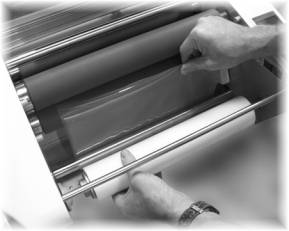
Feed the backing film under the bottom idler and pull up enough film so that you can lay the end over the top orange roller. Leave the idler in the lower position. 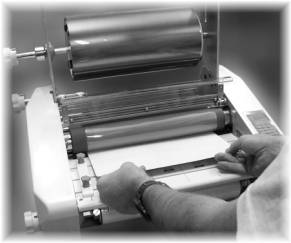
Move the pressure handle to the second notch (5 mm) to engage the rollers. Turn on the laminator, push the COLD and RUN buttons to start the drive motor without applying heat to the fusion rollers. Using a feed board (thick piece of cardstock or scrap copperclad), push the backing film into the first set of rollers until the rollers grab the feed board. Let the laminator draw the board all the way through the two sets of rollers. 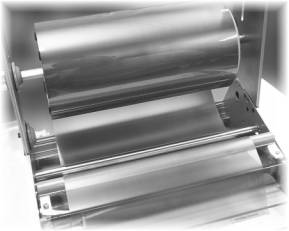
Mount the dry-film into the laminator by pushing the brass bushing end into the spring loaded shaft seat and the hex end into the hexagonal receptacle of the film tensioner. Reach under the film roll and pull a small amount of film (12") to the front of the laminator. Pass it under (back to front) the stripping idler shaft. This shaft will assist in automatically peeling off the polyolefin release liner to expose the adhesive prior to lamination 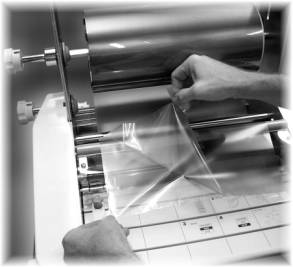
Use two small tabs of tape to separate a short length (about 12") of release liner from the dry-film. This sounds harder to do than it is. With a little practice, this becomes quite easy.
PREVIOUS
NEXT
|
|||
|
||||
 Home
Home
